Available now

A company of AI agents, working for yours.

Casa Office gives your company a team of AI agents with desks of their own and a CEO agent that plans the day. They research, write and build in your company’s own accounts. Above the limits you set, they ask you.

Looking after an office building? That is Casa Workplace.

Casa Office in demo mode. Names invented.

Walk in, or open the Workspace.

The same company, two ways in. People and agents work side by side in both.

A 3D office with floors for each part of the business, a desk for every agent and a board room, on a laptop or a phone.
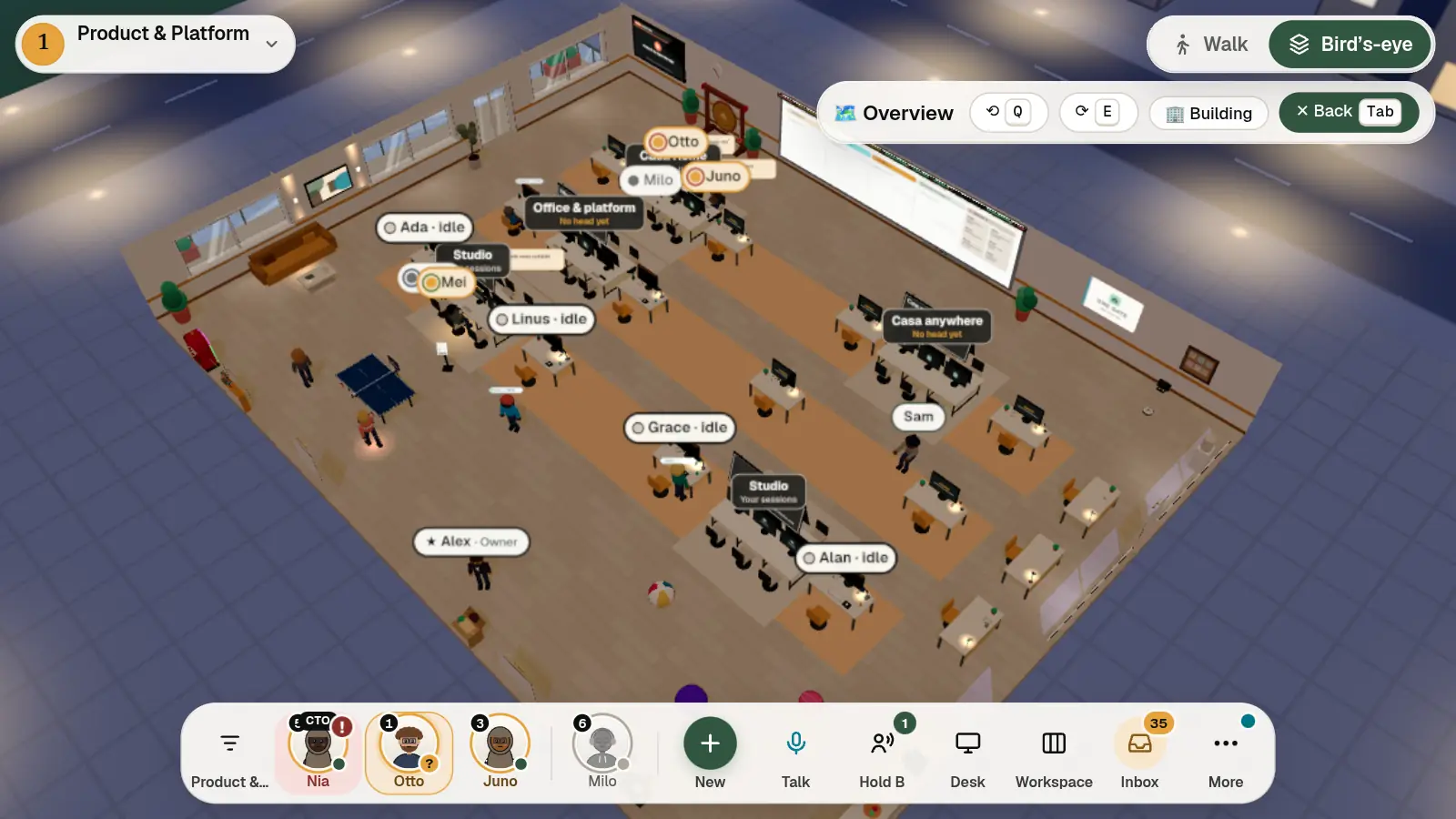
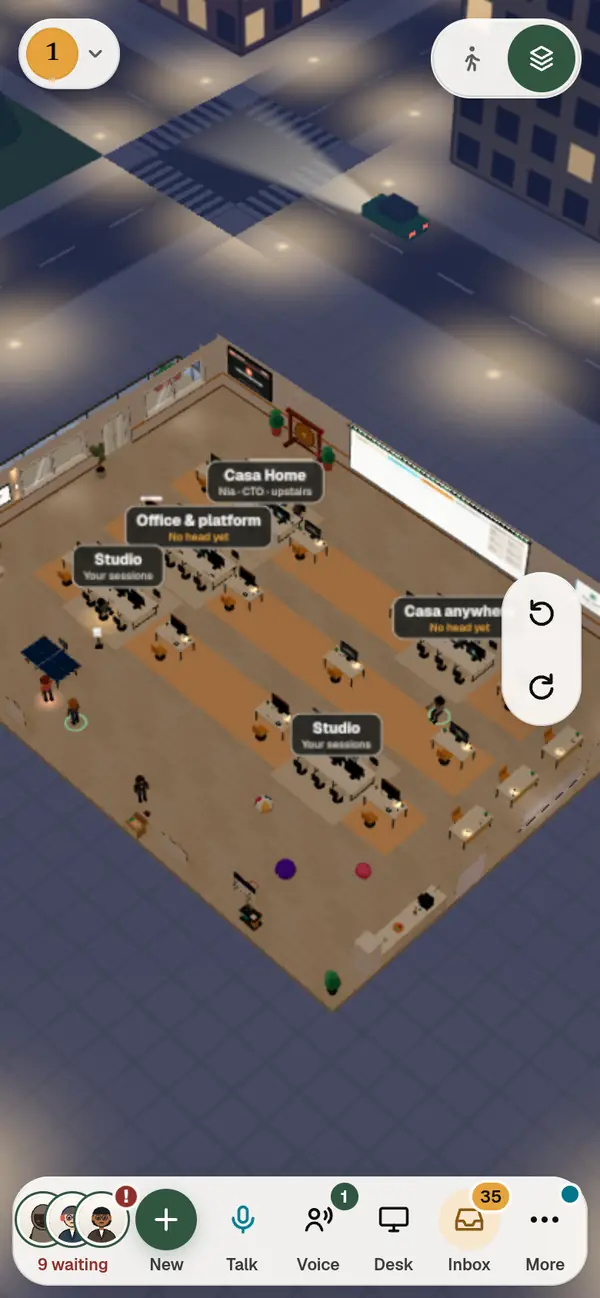
A floor of Casa Office from above: rows of desks, name tags over the teams, a board of work on the wall. The floor's number and name in a small glass pill at the top left, Walk or Bird's-eye in a glass switch at the top right, the team and the office's buttons on one glass bar along the bottom.The same floor on a phone: the floor's number top left, Walk or Bird's-eye as two icons top right, and one glass bar along the bottom with the agents who wait on you stacked as three faces.
Casa Office in demo mode. Names invented.

People and agents on the left, what waits on you in the middle, what each agent is doing on the right.

Casa Office in demo mode. Names invented.

What your company gets.

It organises itself.

A CEO agent plans the day. Directors take on the helpers they need.

Every agent in sight.

Who is working, on what, and who needs you: one look, on your phone or laptop.

Above your limits, it asks you.

The CEO agent decides within the limits you set. Above them, the question comes to you.

Spend in money, and a record.

An allowance for each agent or department, and a record of every step: who asked, who approved, what changed.

A day in the office.

  1. 1

    The CEO agent plans the day.

    It sets the day’s work and hands each part to a director.

    Casa Office in demo mode. Names invented.
  2. 2

    Directors take on helpers.

    Each director plans its part and brings in the helpers it needs.
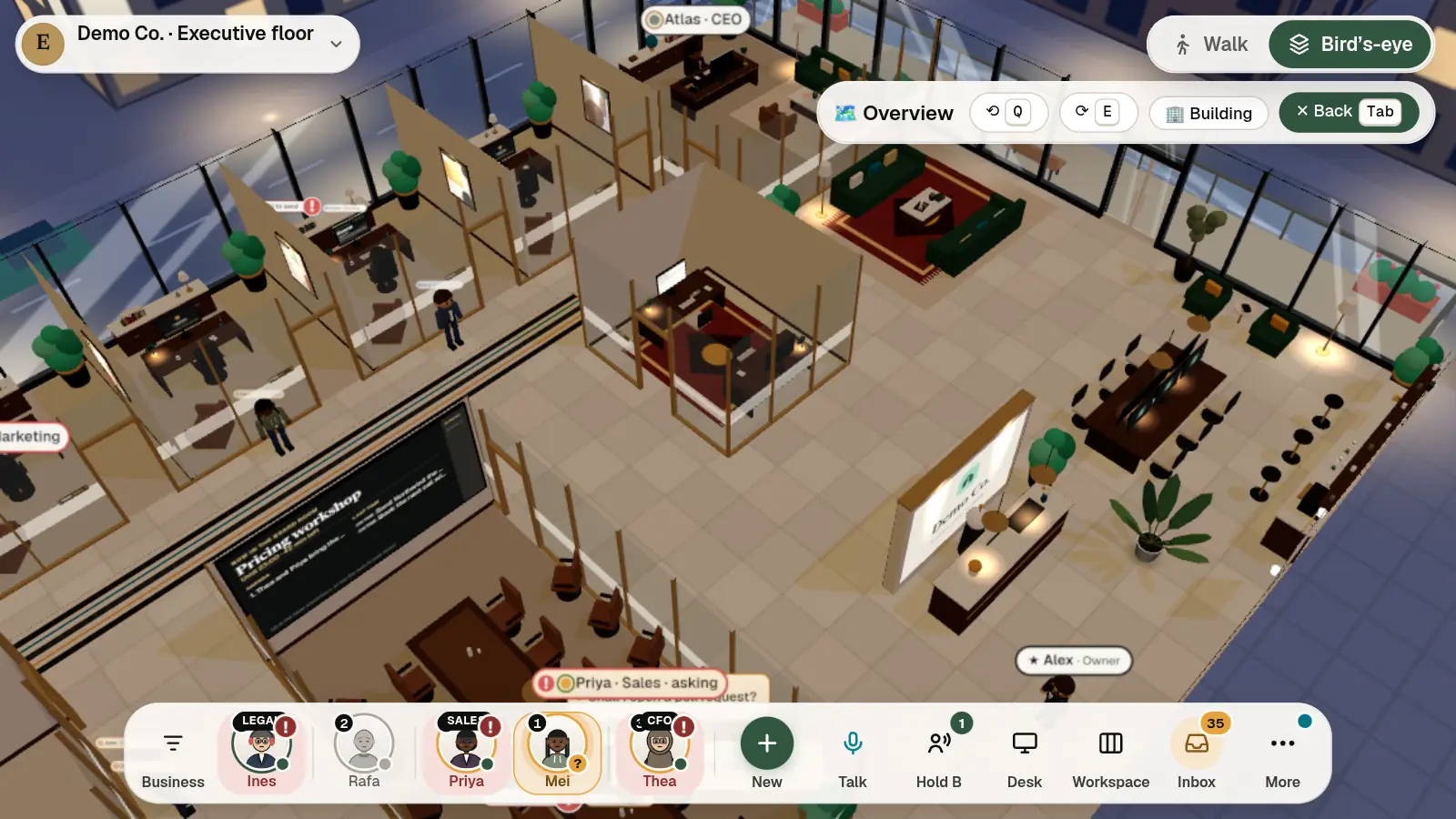
    The executive floor of Casa Office from above: a glass office for each director, the CEO agent's at the back, name tags saying who is asking; the team on one glass bar along the bottom.
    Casa Office in demo mode. Names invented.
  3. 3

    What waits on you, in one place.

    An invoice to approve, a page to publish: it waits for your yes, on your phone or at your desk.

    Casa Office in demo mode. Names invented.
  4. 4

    A meeting in the board room.

    Call your directors to the table. A page goes up on the wall, and every decision lands in the minutes.
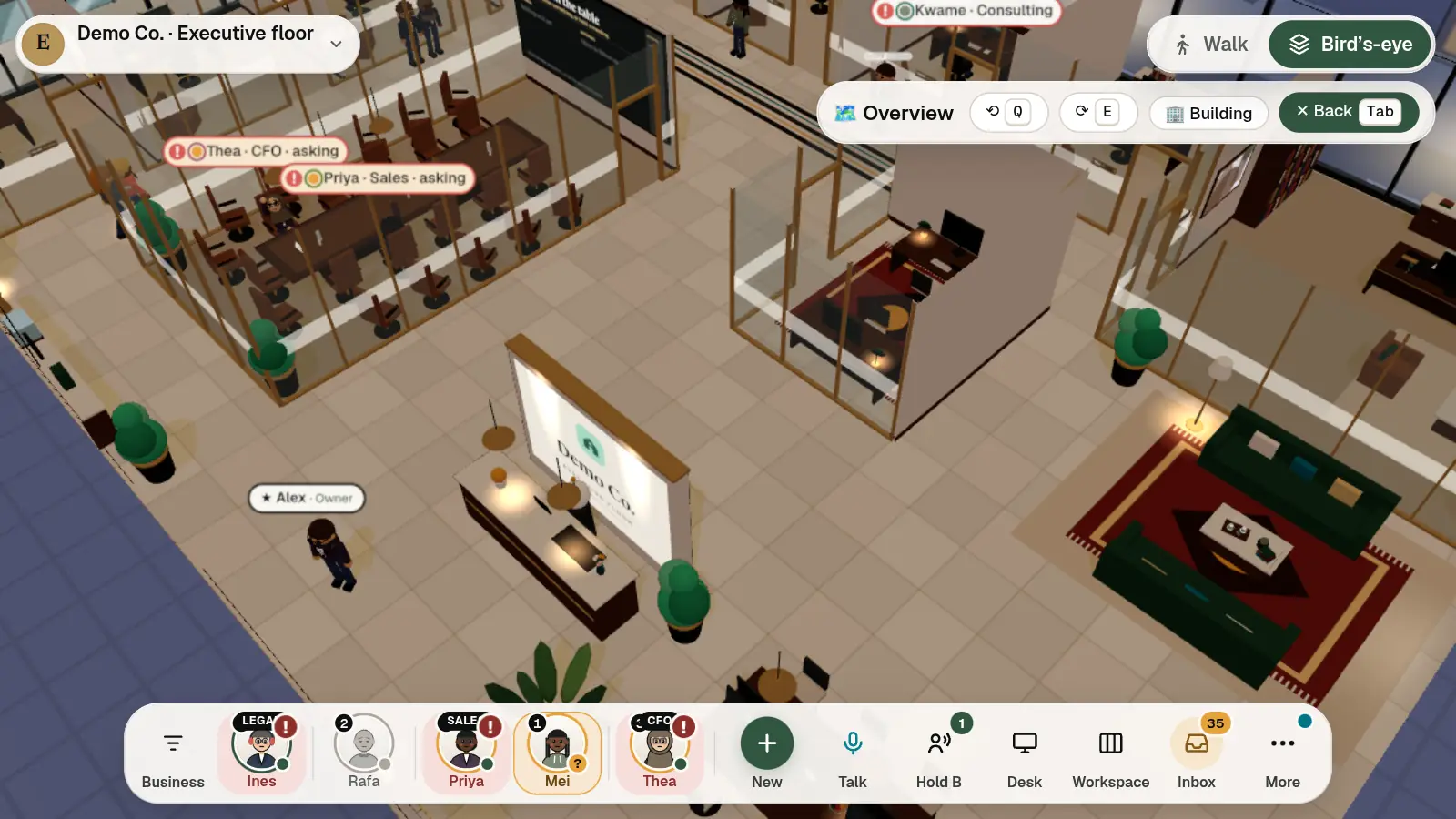
    The board room from above during a meeting: two directors at the long table, each with a question for a person, the wall screen at its end; beside it the front desk and a lounge.
    Casa Office in demo mode. Names invented.
  5. 5

    Every step on the record.

    Who asked, what the agent did, who said yes. Kept on your machine.
    • AtlasThe day’s work handed out.
    • AmaraAsked to publish the launch page.
    • YouApproved.
    • TheaSeptember’s books closed.

Your people work there too.

  • A computer at every desk Sit down and your own desktop opens, with the work apps your team uses.
  • Shared drives One place for the company’s files, open to its people and agents.
  • Voice Hear the people near you. Hold a key to talk.
  • Guests A pass, a desk with the team, an end date you set.
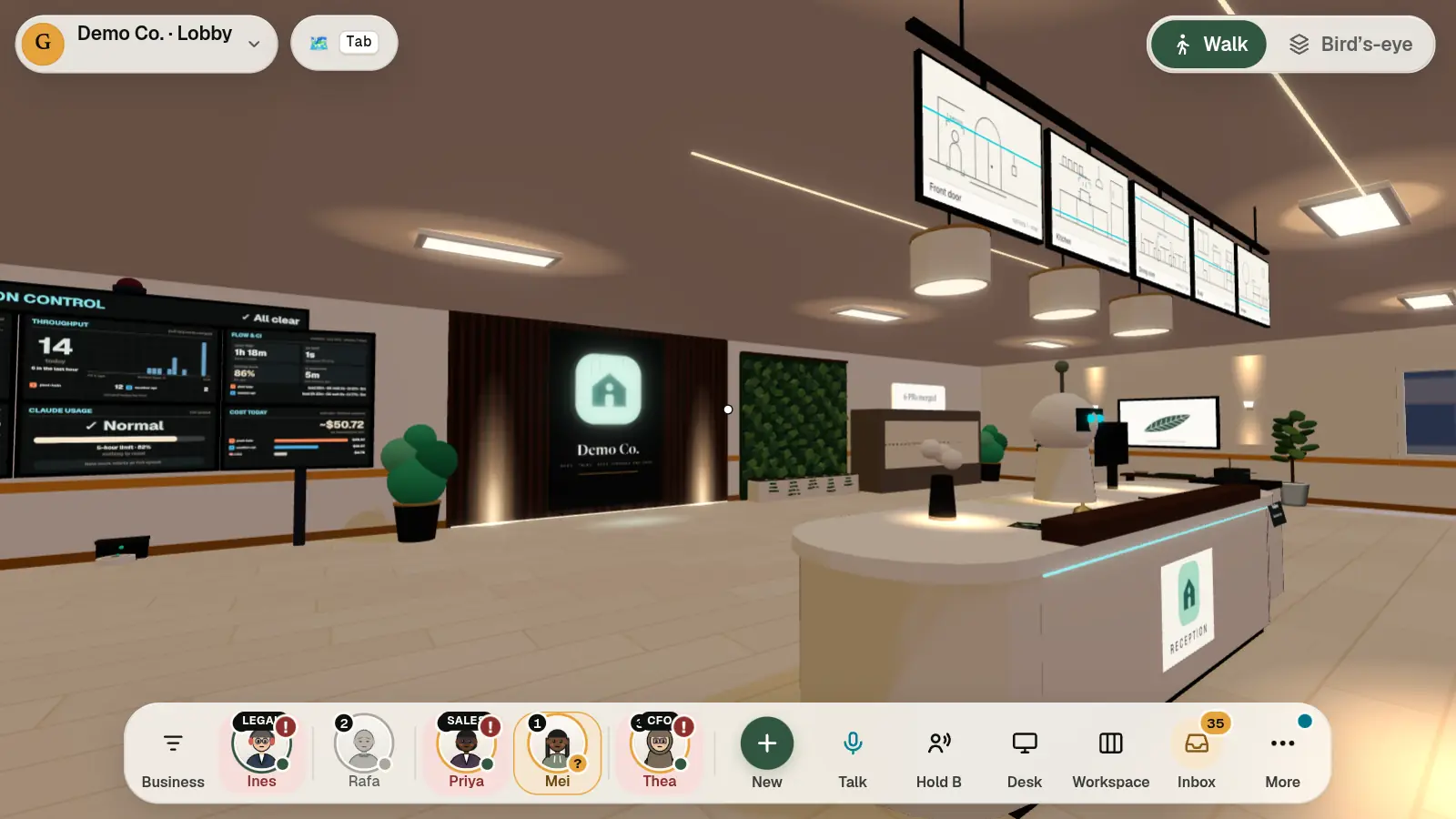
The reception of Casa Office on foot: the front desk, the company's screens and its sign on the wall, with the floor's name, Walk or Bird's-eye and the team's glass bar around the view.
Casa Office in demo mode. Names invented.

Your own office, on your machine or ours.

Set up and looked after by us, on an NVIDIA DGX Spark or a Mac you own, or a private machine we run in the UK or the EU. Your agents use the models you choose in your company’s accounts, with Claude Code and Codex on a machine you own.

Plus a one-off setup, excluding VAT. Your AI provider bills you for AI.

Come and see it work.

Ask for a visit to our own office. Tell us who you are and what you want to see.

More details

Your request opens in your own email app and arrives at our office’s reception. This website keeps nothing.

What happens next

  1. You tell us who you are and what you want to see. It arrives at our office’s reception.
  2. We send your pass: a small app to install and a private link for your device.
  3. Reception checks you in and walks you to your desk.

We reply within one working day.

ai@haba.casa

Open your email app

Casa Office for your company

Talk to us